
Tab Fix: How to fix the problem of too many open tabs once and for all.
If you work or study online, you often know how stressful it is to deal with a browser full of tabs: research, projects, emails, to-do lists… all competing for your attention. Sooner than later, the tab clutter becomes overwhelming, slowing you down and affecting your focus.
Published by tabExtend on
The good news? You don't need to feel stuck in tab chaos. Here's how you can:
- Quickly clean up tabs with simple tricks
- Organize tabs effectively to reduce mental clutter
- Streamline workflows with smart tools
Let me show you how to get your browser (and your mind) back in order.
How Do You Know You Have Too Many open Tabs?
Trust me, you're not the only one with the problem of managing new tabs. Managing dozens of tabs, multiple projects or clients, is harder than it looks. Here are the signs it's getting out of control:
- You waste time searching for tabs. With so many open, finding what you need is a struggle.
- Your browser struggles to keep up. The more tabs you open, the slower everything gets.
- Unrelated tabs distract you. You're trying to focus on a task, but you get notifications or get distracted by other tasks that you should do later.
If any of this sounds familiar to you, it's time for a new strategy to beat this silent procrastination.
Practical Solutions for Managing Tabs
Option 1: Declutter Your Tabs
Most of the time people open new tabs as a "to-do later" reminder. Even when the "important tasks" they wish to do later are not that urgent. I've been guilty of this myself for a very long time.
So it's much more important to define what tasks are more relevant to be solved first, and then close them when you're done, than having your browser's tabs as a reminder. Keeping you distracted and disorganized week after week while working.
Also because constantly closing and reopening tabs wastes time. Worse, it doesn't solve the underlying issue of disorganization. You'll likely still have tabs scattered everywhere, which leads you to distraction anyway.
If only closing tabs isn't cutting it, you should use a smarter approach.
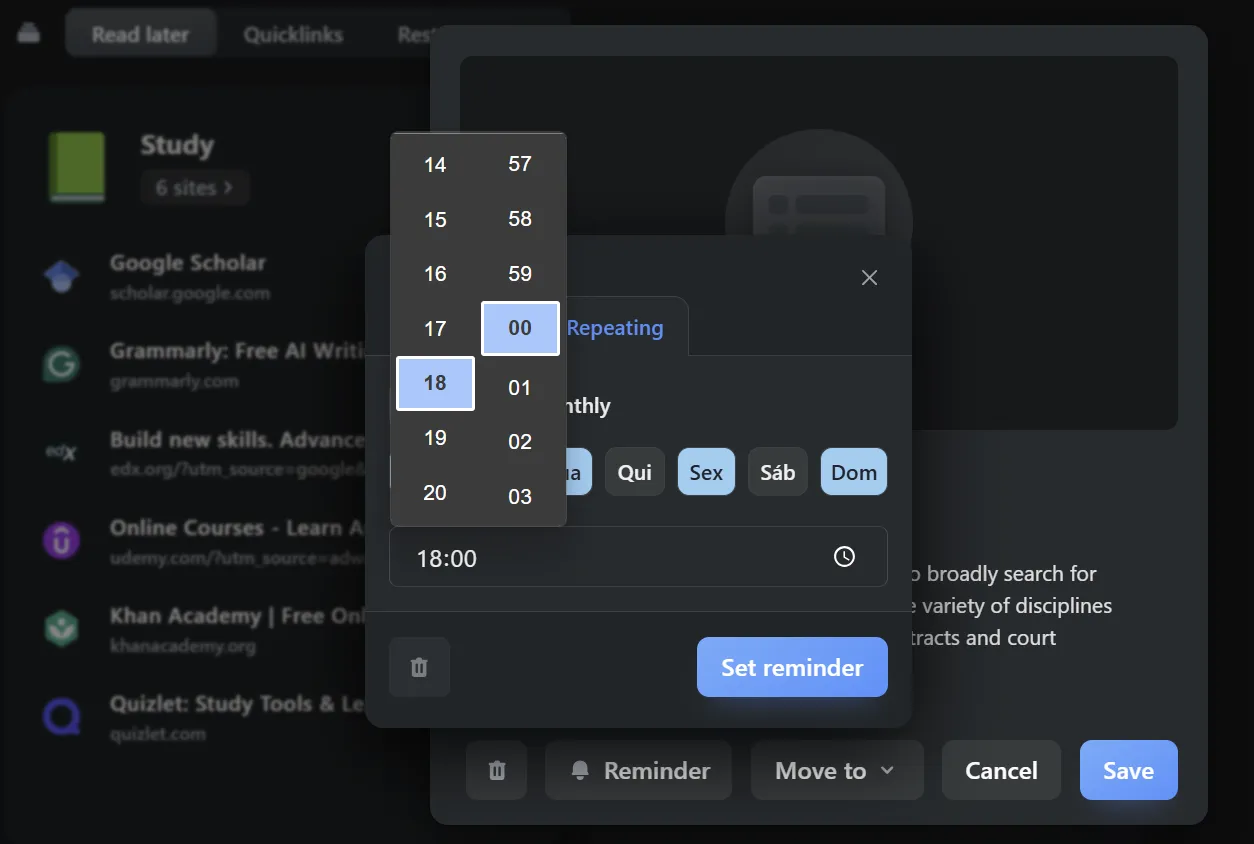
Option 2: Organize Your Tabs with tabExtend
The most effective way to take control of your tabs is to organize them into visual groups that match your workflow.
How tabExtend Works:
- Drag and drop tabs into clearly labeled groups for each project or task.
- Save your workspace so you can close your browser without losing progress.
- Focus effortlessly by only keeping the tabs you need for the task at hand visible.
- Use it's own Reminder to each Tab you have a task to complete.
Why it works:
tabExtend transforms your browser into a structured workspace, making it easy to switch between tasks without distractions or chaos. Whether you're a entrepreneur/freelancer juggling multiple clients or a student managing research, tabExtend keeps everything organized in one place.
Example Use Case:
Imagine grouping all tabs related to 'Client A' into one workspace, while tabs for 'Personal Tasks' live in another. With just one click, you can switch between these contexts seamlessly.

Option 3: Take Notes and Save Context Together
You can save your tabs and tasks with the links in a spreadsheet, in a document or in other apps like Notion, for instance. You can follow thos guide to help you out:
- Copy and paste each tab's link into a spreadsheet or document.
- Add notes about why the tab was opened or what task it relates to and when you plan to do it.
- Organize tabs by project, category, or urgency within your chosen app.
While this method gives you control over how your tabs are saved, it's much more stressful. Copying links and manually adding notes for each tab is a repetitive and tedious process. Additionally, misplacing links, forgetting context, or failing to update tasks often results in disorganization.
In essence, while tools like Notion or spreadsheets can work, the effort and maintenance required often outweigh the benefits.
Why Organized Tabs Matter
Research shows that multitasking, like switching between unrelated tabs, leads to what's called "attention residue." This leftover focus from unfinished tasks makes it harder to concentrate on your current work.
With tabExtend, you can avoid distractions, focus on the task at hand, and pick up where you left off without missing a beat.
Ready to turn tab chaos into calm productivity? tabExtend makes managing your browser simple, seamless, and stress-free: